

Understanding the LG Dryer D80 Alert System
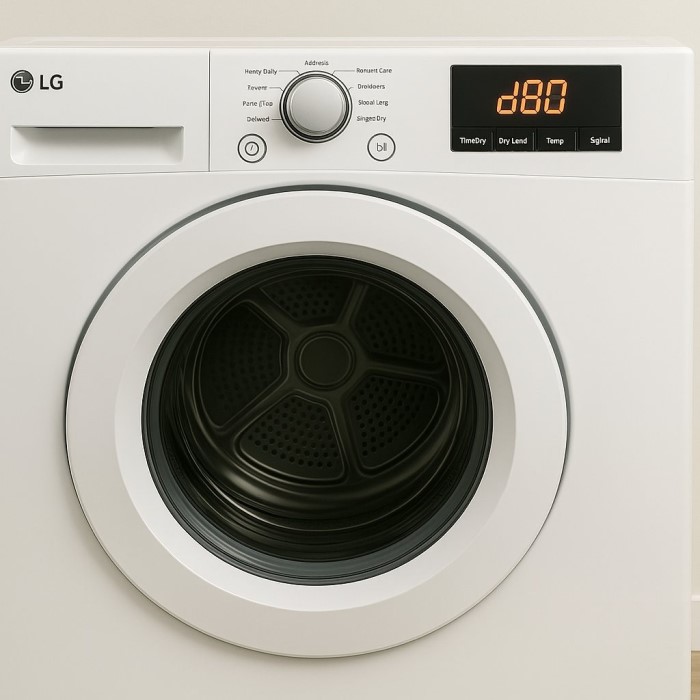
Modern appliances utilize sophisticated technology. This technology ensures optimal performance and safety. Your lg dryer d80 is a prime example of this innovation. It features a unique diagnostic system called Flow Sense. This system monitors the airflow efficiency within the machine. When an issue arises, it displays a code. One common and frustrating code is the lg dryer d80 error. This specific alert indicates a significant restriction. It means the dryer detects an 80% blockage in the exhaust system. Consequently, the machine cannot expel hot air efficiently. This restriction poses a serious problem for the appliance. Furthermore, it creates potential safety hazards in your home. You must understand what this code implies.
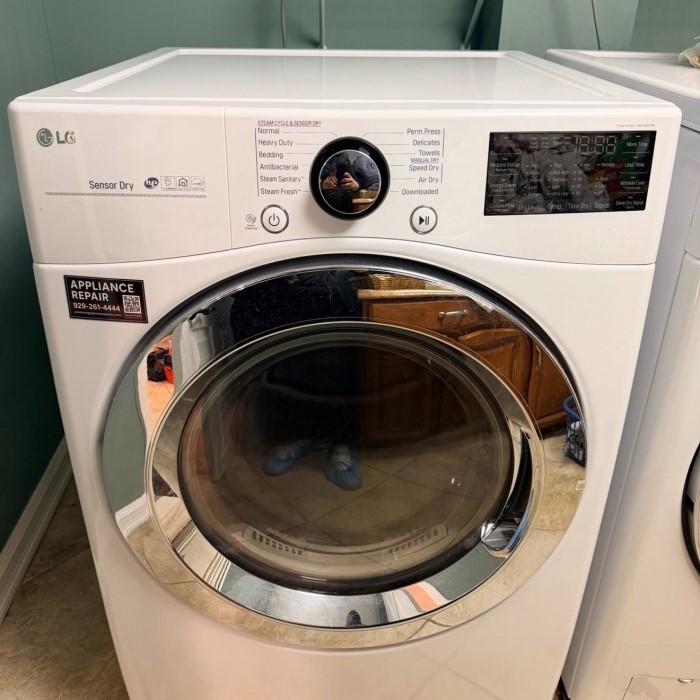
Therefore, you should not ignore this warning. The dryer might still run, but it works harder. This puts undue stress on the internal components. Specifically, the motor and heating element suffer. The sensors inside the drum track air pressure changes. They compare these changes against baseline metrics. When the pressure drops significantly, the D80 code appears. It serves as an early warning system. It tells you that your vent needs attention immediately. Many homeowners misunderstand this code. They assume the dryer is broken. However, the issue usually lies within the ventilation path. The blockage prevents the dryer from “breathing” properly. Just like a runner gasping for air, the dryer struggles. Understanding this fundamental concept is the first step. It guides you toward the correct solution. You will save time and money by addressing the root cause.
Essential Safety Preparations Before Inspection
Safety must always be your top priority. You will deal with electrical appliances and sharp metal vents. Therefore, preparation is non-negotiable. First, locate the power cord. You must unplug the dryer from the wall outlet. This simple action prevents electrical shock. Never work on an appliance while it is energized. Furthermore, if you have a gas dryer, take extra care. You should turn off the gas supply valve. This valve is usually located behind the unit. Then, disconnect the gas line carefully. Check for any smell of gas. If you smell gas, leave the house immediately. Call a professional from a safe distance.
Moreover, move the dryer away from the wall. This gives you access to the rear panel. You will need sufficient workspace. Ask a friend for help if the unit is heavy. Dryers are bulky and awkward to move. You do not want to injure your back. Additionally, clear the surrounding area. Remove laundry baskets or cleaning supplies. A clutter-free space reduces tripping hazards. Gather your tools beforehand as well. You will likely need a screwdriver and a vacuum cleaner. A flashlight is also very helpful. It allows you to see into dark vents.
Consequently, you can spot hidden blockages easily. Wear protective gloves if possible. Sheet metal screws and vents can cut your skin. Safety glasses are also a good idea. Dust and debris will fly around. Protecting your eyes is essential. By taking these precautions, you ensure a safe working environment. You can then proceed with confidence. Do not rush this preparation phase. It protects you and your home.
Inspecting the Lint Filter and Internal Duct
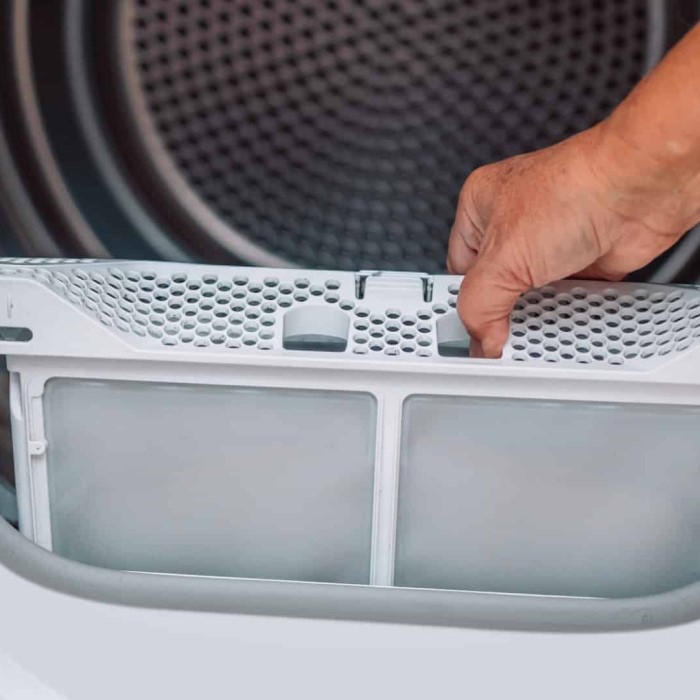
The most common cause of blockage is closest to you. It sits right inside the door. This is the lint filter. You should clean this filter after every load. However, many users overlook the filter housing. Remove the lint screen completely. Then, look into the slot where it sits. You will often find a buildup of lint. This lint bypasses the screen over time. Consequently, it accumulates in the internal ducting. You can use a vacuum cleaner here. Use a crevice tool attachment. Reach as far down as possible. Suck up any visible debris. This simple step often resolves minor airflow issues.
Furthermore, check the condition of the lint screen itself. Is it clogged with fabric softener residue? This residue restricts air flow significantly. You can wash the screen with warm water. Use a mild soap and a soft brush. Allow it to dry completely before reinserting it. Additionally, you need to check the blower housing. This requires a bit more work. You might need to remove the lower front panel. Consult your user manual for specific instructions. Once the panel is off, you can see the blower wheel. Look for lint accumulation around the fan blades. A vacuum can remove this loose lint. If the blower wheel is stuck, it creates a blockage. Ensure it spins freely.
Moreover, check the connection between the drum and the lint housing. Sometimes, socks or small items get stuck there. These items obstruct the airflow path. Use a flashlight to inspect every corner. You will be surprised by what you find.
Examining the External Exhaust Vent
The external vent is a critical component. It allows the hot air to exit your home. However, it is also a magnet for blockages. Go to the outside of your house. Locate where your dryer vent exits the wall. You will usually see a louvered cover or a flap. Inspect this cover closely. Is it opening freely? Sometimes, the mechanism becomes stiff or broken. If the flap does not open, air cannot escape. This triggers the lg dryer d80 code. Furthermore, check for external debris. Bird nests are very common in vents. Rodents also find vents attractive for warmth. Remove any visible obstructions by hand. Wear gloves for this task.
Moreover, vegetation can block the vent. Bushes or ivy might grow over the opening. Trim back any plants around the vent. This ensures a clear path for airflow. You should also remove the vent cover. Usually, a few screws hold it in place. Once removed, look inside the pipe. Use a flashlight to see deep into the vent. You might see a thick layer of lint. This lint acts like a plug. It stops the air from moving forward. You can use a vent cleaning brush here. These brushes have long, flexible handles. They attach to a power drill. Spin the brush while pushing it through the vent. This scrapes the lint off the walls.
Additionally, check for kinks in the hose. If you crushed the hose behind the dryer, airflow stops. Ensure the hose is straight and rigid. A smooth metal duct is better than a flexible plastic one. Plastic hoses trap lint easily.
Deep Cleaning the Ventilation Ductwork
Sometimes, a surface cleaning is not enough. Lint builds up over years of use. It creates a hardened layer inside the walls of the duct. This requires a deep cleaning process. You have two main options. You can hire a professional service. Professionals use high-powered vacuum trucks. These trucks suck out even the most stubborn blockages. This is the safest option for many homeowners. It ensures the job is done thoroughly. However, you can also do it yourself. You will need a specialized dryer vent cleaning kit. These kits are available at hardware stores.
First, disconnect the dryer from the wall vent. Pull the vent hose off the exhaust port. Then, assemble your cleaning kit. Most kits include a flexible rod and a brush head. Insert the brush into the vent opening. Drill the brush head into the duct. Move it slowly and carefully. Do not force the brush. Let the rotation do the work. Push the rod further into the duct as you clean. You may need to add extension rods. Continue until you reach the outside exit. Then, pull the assembly back. Repeat this process several times. You want to scrub the entire length of the pipe.
Furthermore, use a shop vacuum simultaneously. Have a helper hold the vacuum hose near the vent opening. This captures the dislodged lint immediately. It prevents a huge mess in your laundry room. Deep cleaning is messy work. Lay down drop cloths to protect your floor.
Addressing the Flow Sensor Mechanism
If your vents are completely clean, the issue might differ. The error code could be a false positive. The Flow Sense sensor itself might be faulty. This sensor is a small component inside the dryer. It connects to the main control board. It works by detecting temperature changes. Sometimes, the sensor gets coated with lint. This interferes with its readings. You can access this sensor by opening the dryer cabinet. Refer to your service manual for the location. Usually, it is near the blower housing. Use a soft cloth to clean the sensor. Remove any dust or residue.
Additionally, check the wiring connections. A loose wire can cause erratic readings. Ensure the connector is seated firmly. If the sensor is damaged, you need to replace it. Replacement parts are available online. You will need the model number of your dryer. Enter this number to find the correct part. Replacing the sensor is a moderate repair task. It requires some technical knowledge. You must disassemble part of the dryer. If you feel uncomfortable, call a technician.
Moreover, a software glitch can trigger the error. The control board might misinterpret the data. In this case, a reset might work. Unplug the dryer for a few minutes. This allows the capacitors to discharge. It forces the computer to reboot. Sometimes, this simple trick clears the code. However, if the sensor is truly defective, the code will return. You must then replace the sensor. Testing the sensor requires a multimeter. You check for continuity and resistance.
Preventative Maintenance for Future Efficiency
Fixing the problem is a relief. However, preventing the problem is even better. Regular maintenance keeps your dryer running smoothly. It also prevents the D80 code from returning. You should establish a cleaning routine. Clean the lint filter after every single load. This is the most important habit. Furthermore, deep clean the filter housing once a month. Use a vacuum attachment to remove trapped lint. This prevents buildup in the internal ducts.
Additionally, schedule an annual vent inspection. Once a year, check the external vent cover. Ensure it moves freely. Remove any debris or nests. You should also inspect the internal hose. Look for kinks or tears. Replace the hose if it shows wear. A rigid metal hose is a great upgrade. It resists crushing and lint buildup. You should also consider a lint trap alarm. These devices monitor airflow. They alert you before a total blockage occurs.
Moreover, be mindful of what you dry. Avoid drying items with heavy rubber backing. They shed materials that clog vents. Also, shake out clothes before loading them. This removes excess dirt and pet hair. Pet hair clogs vents very quickly. If you have pets, clean your vents more often. Use a lower heat setting when possible. High heat creates more lint. Lower heat is gentler on your clothes. It also puts less stress on the vent system. These small changes make a big difference. They extend the life of your dryer. They also keep your home safe from fires. Prevention is always easier than repair. It saves you time and frustration in the long run.
FAQ
How do I fix the D80 error on my LG dryer?
To fix the D80 error, you must clear the blockage. First, clean the lint filter and its housing. Then, disconnect the exhaust hose from the back. Clear any lint buildup in the hose and the wall vent. Finally, ensure the outdoor vent cap opens freely.
Why does my dryer say D80 but no blockage?
If no blockage exists, the flow sensor might be dirty or defective. Lint can coat the sensor inside the unit. Alternatively, the control board may need a reset. Unplug the dryer for five minutes to reset the electronics. If the error persists, test the sensor for faults.
Is the LG dryer D80 error a fire hazard?
Yes, the condition causing the D80 error is a fire hazard. The code indicates an 80% blockage. Restricted airflow causes the dryer to overheat. Lint is highly flammable. Therefore, you must resolve this issue immediately to prevent a house fire.
How do you reset the flow sensor on a LG dryer?
You can attempt a hard reset. Unplug the dryer from the power outlet. Wait for at least 5 to 10 minutes. This allows the internal capacitors to discharge. Plug the unit back in. Run a test cycle to see if the error clears. If not, the sensor may need replacement.
Conclusion: Final Thoughts on Error Resolution
Dealing with appliance errors can be stressful. However, the lg dryer d80 code is manageable. It usually points to a ventilation issue. It requires your immediate attention to restore efficiency. You have learned how to inspect the system. You also know how to clean the vents thoroughly. Furthermore, you understand the role of the flow sensor. By following these steps, you can fix the problem. You also ensure your home remains safe. Remember to prioritize safety during repairs. Always unplug the machine first. If you feel unsure, contact a professional. Regular maintenance is the key to success. It prevents future errors from occurring. Enjoy your efficiently running dryer.